

Changing a phone system for senior living communities can feel risky. Staff still need to coordinate care, residents need dependable access to assistance, and family members expect to reach their loved ones without confusion or delay.
That's why a successful VoIP migration should never feel like flipping a switch and hoping for the best. It should be a carefully planned upgrade that protects daily operations while moving the organization toward more flexible, reliable technology.
With the right preparation, a senior living phone system can move from aging copper and analog infrastructure toward a hybrid communications environment that combines POTS replacement, analog step-down, and VoIP where each makes the most sense, without overwhelming employees or interrupting essential communication.
What Does a VoIP Migration Involve?
VoIP stands for Voice over Internet Protocol. Instead of carrying voice traffic over a traditional phone line, VoIP uses an internet connection to place and receive calls.
A migration may involve replacing an older landline setup, identifying which analog phones can remain in place through ATA/FXS gateways, updating office phones, transferring each phone number, configuring voicemail, and connecting mobile users or multiple devices.
For senior living organizations, the project may also include:
- Front-desk and administrative phones
- Department extensions
- After-hours routing
- Caller ID
- Call transfer rules
- Mobile applications
- Emergency procedures
- Paging or analog connections
- Internet and power backup plans
Some communities complete a full business phone system upgrade, while others begin with one building, department, or site. A cloud phone system for senior living can support either approach because users, locations, and features can be added gradually.
Why Are Communities Concerned About Disruption?
Senior living operates around the clock. Even a short interruption can affect employees, residents and their families, vendors, healthcare partners, and emergency services.
A front desk might handle hundreds of calls involving transportation, dining, maintenance, billing, move-ins, and resident needs. Department managers depend on dependable phone service to coordinate work. Families need the ability to connect with loved ones, especially during urgent situations.
Because communication is so crucial, organizations postpone a VoIP migration because they fear downtime, difficult training, or an expensive installation.
Those concerns are understandable. They're also the reason the migration process matters as much as the new system itself.
A reliable VoIP provider should plan for overlap between the existing and new system, test important workflows, and make sure employees understand what's changing before launch.
Start with an Assessment of Existing Infrastructure
Before selecting new phones or choosing a new phone plan, document the current environment.
The assessment should include:
- Every active phone number
- Main lines and department extensions
- Current call routing
- Voicemail needs - system boxes or traditional answering machines
- Auto attendants
- International calling requirements
- Feature requirements - call waiting, number blocking, off hook alerts, site to site dialing, etc.
- Critical POTS lines
- Analog resident phones and voicemail requirements
- PBX/SIP infrastructure
- Cloud/VoIP users
- Mobile employees
- Emergency contacts
- After-hours procedures
- Internet capacity
- Wi-Fi coverage
- Backup connections
- Locations using the same system
This creates a clear view of the existing infrastructure and helps the project team understand what must remain, what should change, and what might not be needed anymore.
For example, one line may still connect to an unused answering machine. Another may forward important calls to a phone that's no longer monitored. Some services may appear on the bill even though no one remembers using them.
A migration is a useful opportunity to clean up these issues, but the goal shouldn't be to redesign every workflow at once. Separate required migration tasks from optional improvements so the community can make a smooth transition.
Choose the Right Phone System and Features
The right phone system isn't necessarily the one with the longest list of tools. It's the one that fits the way the organization communicates.
A modern VoIP phone system may include all the features a provider offers, but many employees only need a smaller group of essential features.
Front-desk staff may need reliable transfers, hold functions, voicemail access, and clear caller ID. Department leaders may benefit from mobile access, reporting, and the ability to answer calls from multiple devices. Administrators may need centralized management across several sites.
A provider should help the community identify the right features, rather than encouraging it to purchase tools that employees won't ever use. Many VoIP platforms include advanced communication features such as video conferencing and voicemail-to-email, but not every employee might need these features.
For some organizations, a VoIP phone at every desk is the best fit. Others may combine desk phones with computer applications and mobile access. This flexibility is one reason VoIP is often a great option for communities with employees who move throughout a campus. A hybrid system might combine VoIP phones for staff with ATA or FXS gateways that allow compatible analog resident phones to remain in service.
Cloud systems can also make it easier to scale users and locations without requiring the same level of on-site infrastructure as a traditional phone system.
Build a Phased Migration Plan
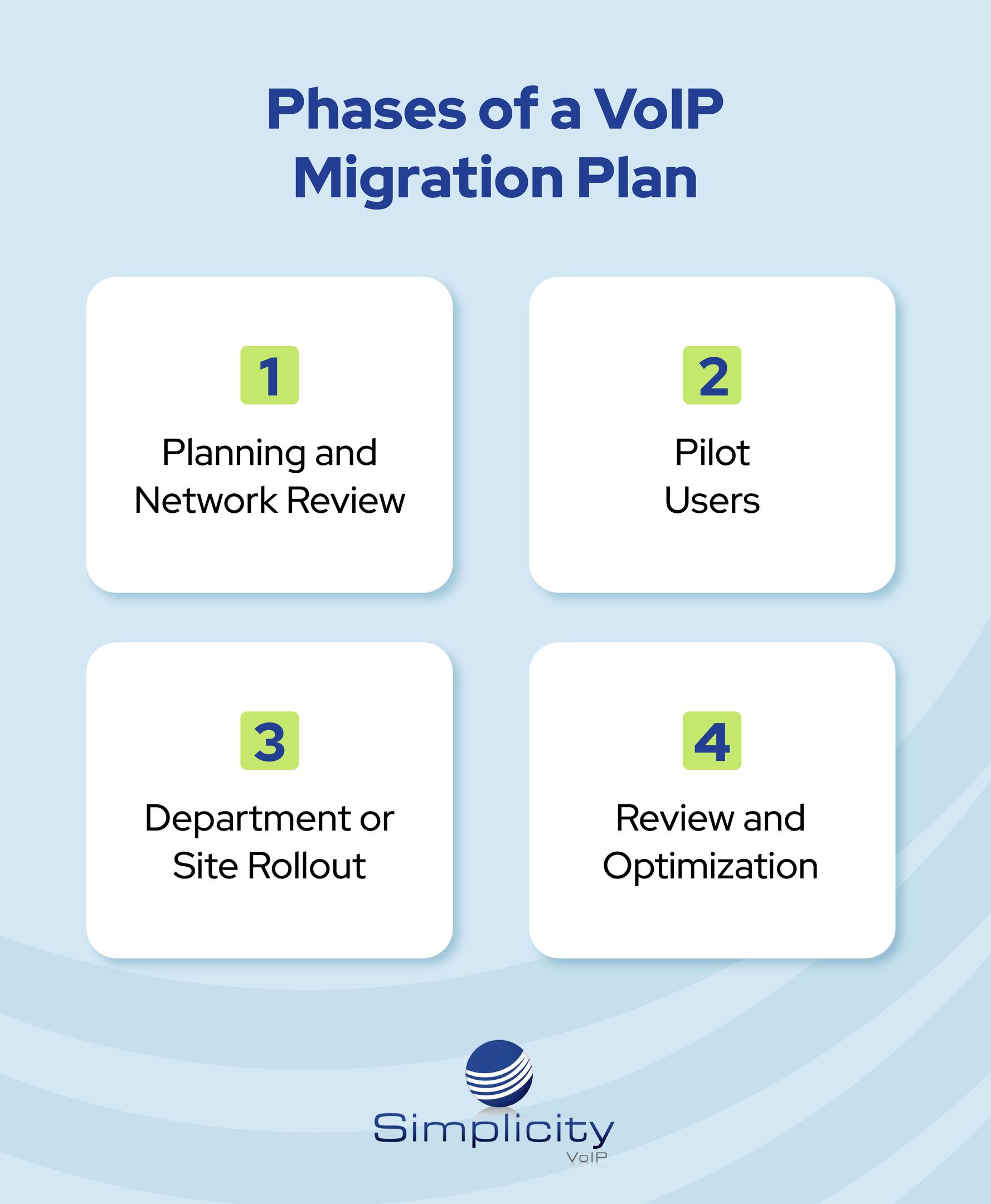
Moving every user at once isn't always necessary. A phased process reduces risk and gives employees time to become comfortable with the new technology.
Phase One: Planning and Network Review
The provider should map the existing system, review the network, verify the internet connection, and document call flows. This stage should also address identifying POTS lines that need replacement, identifying analog endpoints that can use step-down, determining hardware requirements, identifying integration needs, and estimating the expected upfront cost.
The community should identify internal project leaders from operations, facilities, administration, and IT. Each person may understand a different part of the system.
Phase Two: Pilot Users
Begin with a small group of employees who use communication tools in different ways. A receptionist, administrator, department manager, and mobile user can provide useful feedback.
The pilot should test calling, transfers, voicemail, mobile access, and device performance under normal conditions.
Phase Three: Department or Site Rollout
After the pilot works reliably, move through the community in smaller groups. One department or building can transition before the next, migrating selected users to VoIP.
This approach limits the number of users learning the new setup at once and gives the installation team time to test and correct issues before the broader rollout.
Phase Four: Review and Optimization
Once the primary migration is complete, review performance and introduce additional VoIP services. This may include reporting, advanced routing, mobile tools, or other features that improve efficiency.
Confirm That the Internet and Wi-Fi Are Ready
A VoIP phone system relies on a dependable internet and network environment. Before installation, the provider should evaluate bandwidth, routers, switches, cabling, and Wi-Fi coverage.
This doesn't mean every community needs to replace all existing hardware. It means the network must be able to handle voice traffic and the number of connected users.
The review should also address power outages and internet failures.
Business continuity measures may include:
- Battery backup
- A secondary internet connection
- Cellular failover
- Automatic call forwarding
- Mobile applications
- Remote monitoring
- Service alerts
During an outage, calls may be redirected to mobile devices or another location so employees can stay connected. These protections should be tested before the system goes live.
Protect Existing Phone Numbers
A familiar phone number matters to residents, families, customers, physicians, and vendors. Number transfers should be planned carefully.
Document where every number currently rings and where it should route after the upgrade. The provider should coordinate the transfer and arrange temporary forwarding when appropriate.
Main numbers and emergency contacts should be tested immediately after the change. Employees should also receive clear communication about the timing, affected lines, and how to report a problem.
Even a technically successful transfer can create confusion when the team doesn't know what to expect.
Train Employees Based on Their Roles
Users don't need to learn every available feature on the first day.
Training should focus on the tasks each person performs most often. One user might only need to answer and transfer calls. Another may need mobile access, voicemail management, or system reporting.
Short sessions and simple guides are often more useful than long technical presentations. Employees should also understand why the company is making the change and how it can improve communication.
A good VoIP provider will work directly with the community to plan training and provide ongoing support after installation. That support is especially important when new employees join or the organization adds another location.
Understand the Cost of the Upgrade
The total cost of a VoIP migration depends on the number of users, hardware needs, network readiness, phone plan, installation requirements, and integrations.
Some businesses choose to reuse compatible equipment, while others purchase new phones. The right approach depends on the age of the existing system and the community’s long-term plans.
A provider should clearly explain recurring service costs, hardware expenses, setup fees, and any required network improvements. Leaders should also consider potential savings from removing unused lines, reducing maintenance, and simplifying management.
Select a Provider Who Understands Senior Living
The right provider should do more than install phones and leave.
Ask how the provider will:
- Evaluate the existing system
- Support emergency communication
- Protect important phone numbers
- Coordinate a phased setup
- Handle hardware and integration
- Prepare for power outages
- Train each user group
- Provide reliable ongoing support
- Scale service across multiple locations
- Support a hybrid environment
A trusted provider should recommend the right phone system based on the community’s actual needs, not force it into a standard package.
The migration plan should also account for applicable emergency calling requirements, including Kari's Law and RAY BAUM'S Act. Emergency calling and dispatchable location information should be properly configured and tested as part of the transition.
Make Modernization Manageable

A VoIP migration doesn't have to disrupt daily operations. With careful planning, network protection, practical training, and a phased rollout, communities can modernize while maintaining dependable communication.
Simplicity VoIP helps senior living organizations assess current systems, select the right features, and plan a smooth transition. The result is a flexible communication environment that helps staff stay connected, supports residents, and strengthens business continuity.
Ready to start planning your senior living phone system upgrade? Request a Consult to talk with Simplicity VoIP about your current communications environment and modernization options.

.jpg?width=352&name=annie-spratt-goholCAVTRs-unsplash%20(1).jpg)